AI POSE GENERATOR

AI pose generator: turn a photo into a new pose

For drawing references, character design, or a new photo pose, upload one photo, then choose a library pose, upload your own pose reference, or describe it. No photo? Generate a new figure from a reference.

Guest trial: up to 3 free requests per session per UTC day without an account. Shared limits apply; failed requests may count.

  • 93pose references, free to browse
  • $4.99entry pack, one-time
  • 0subscriptions

IMAGE GENERATION

Start with your idea.

Generate a new pose from your photo and a reference pose, or create a fresh figure from a pose alone. Video is not available yet.

Preparing the workspace…

YOUR POSE STUDIO01 / 02
Choose a format
01Your photo optional

An AI-generated adult figure. The example is sent to the provider only if you generate.

02Choose a pose

JPG, PNG or WebP · Up to 10 MB · Files stay in your browser until you generate.

Describe the pose or add instructions optional

Guests can request up to 3 free images per session each UTC day, subject to shared daily limits. Failed requests may count. Signed-in requests use one credit from a one-time pack.

YOUR PREVIEW02 / 02
POSE REFERENCE

Your pose is ready.

Use this pose to create a new person, or add your photo.

YOUR POSEStanding with one arm overhead
Selected pose referenceReference only · not a generated result
Your result

Your generated image will appear here.

THE POSE LIBRARY

Find your next pose.

Choose a reference to bring into your studio.

93 poses

EXAMPLES FROM THIS TOOL

One image, two different poses.

We used the same AI-generated seated figure with two pose references in AI Pose Gallery. These are two individual results; face, clothing, hands and background can change, and results vary.

Example 1: neutral standing

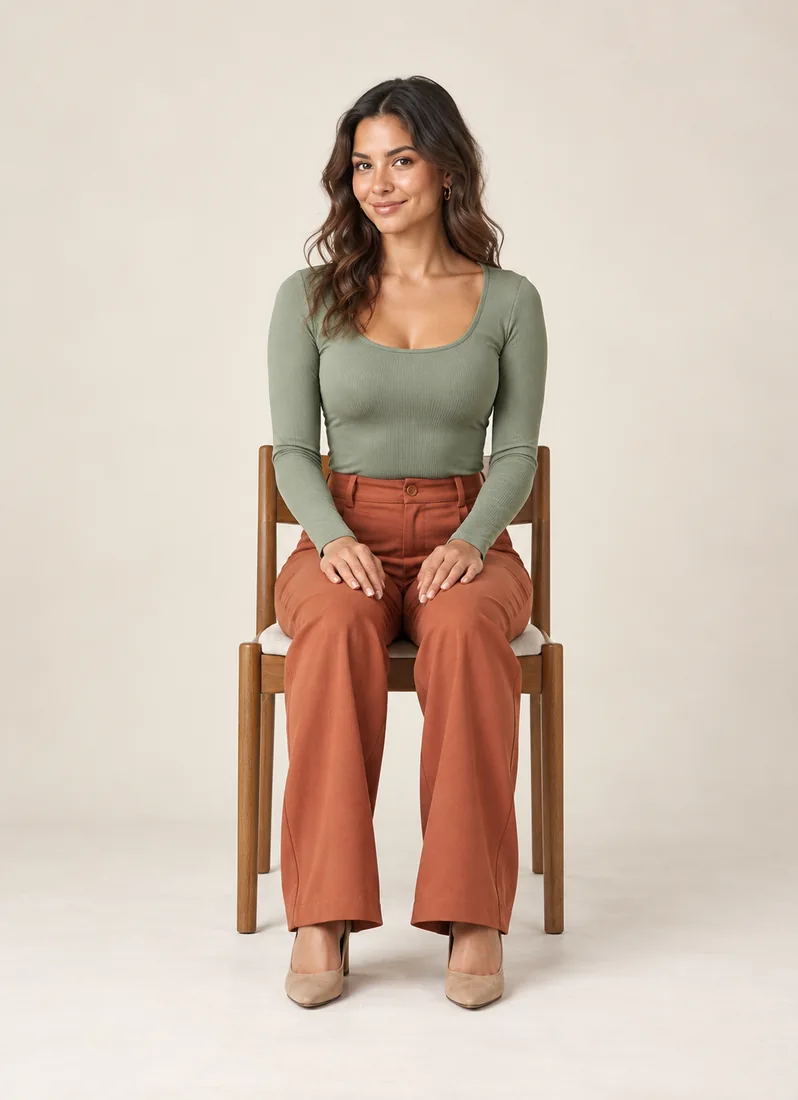
AI-generated example input: a seated woman in a green top and rust-colored trousers
1. Input imageSeated AI-generated figure
AI-generated neutral standing pose reference, facing forward with arms down
2. Pose referenceNeutral standing pose
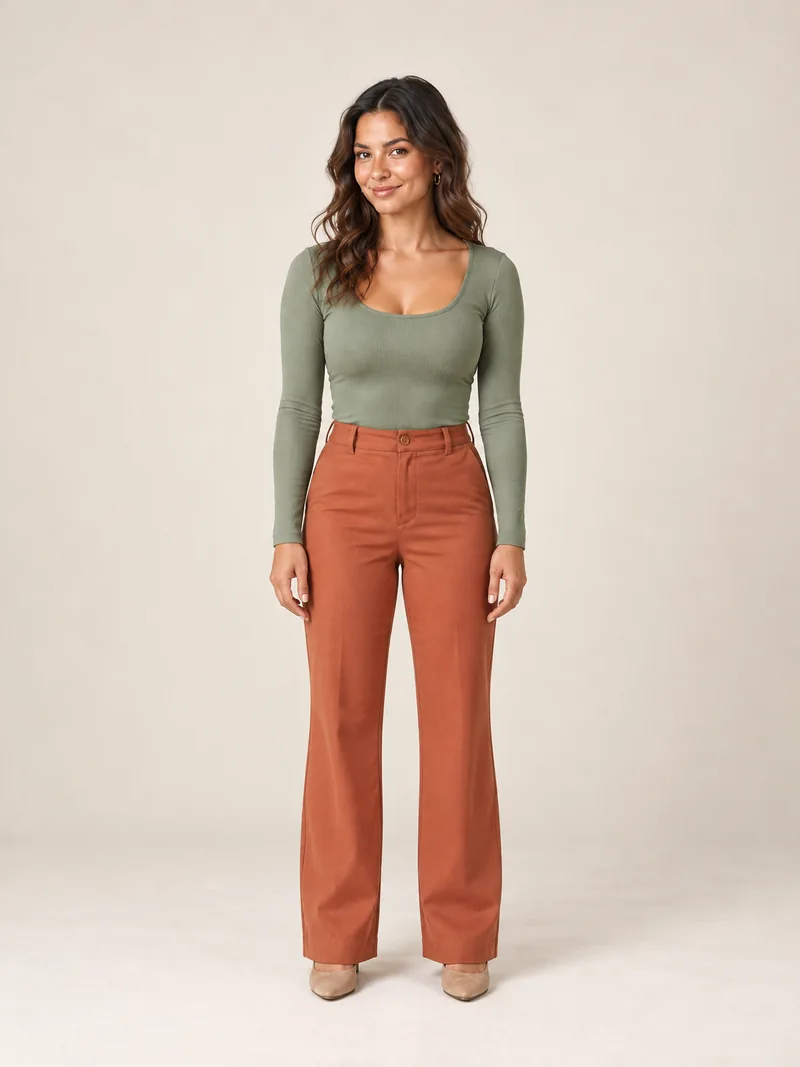
AI-generated result: the figure standing with her arms at her sides
3. Generated resultOne result from this tool

Example 2: standing with arms crossed

AI-generated example input: a seated woman in a green top and rust-colored trousers
1. Input imageSame AI-generated figure
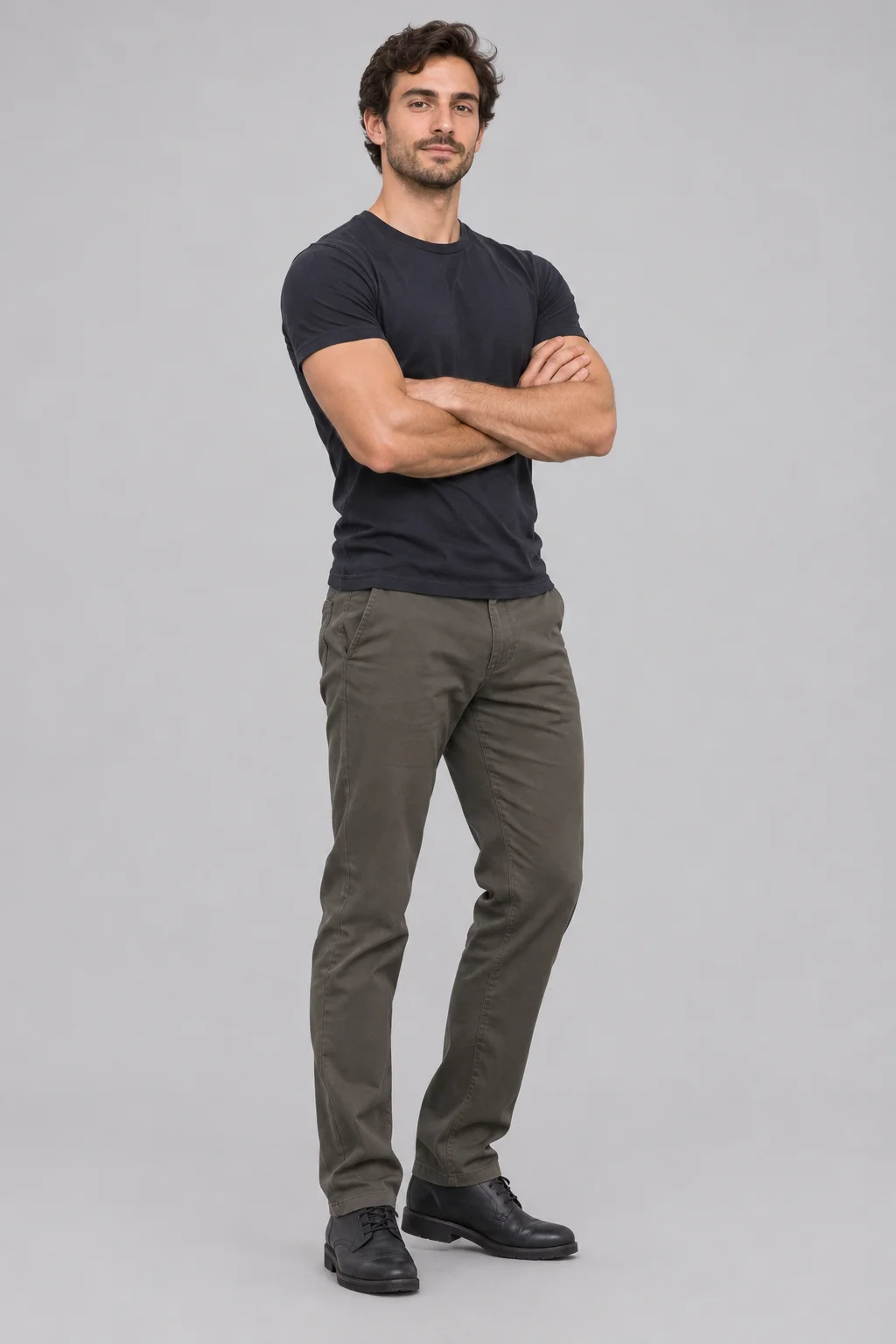
AI-generated pose reference: a man standing with his arms crossed
2. Pose referenceStanding with arms crossed
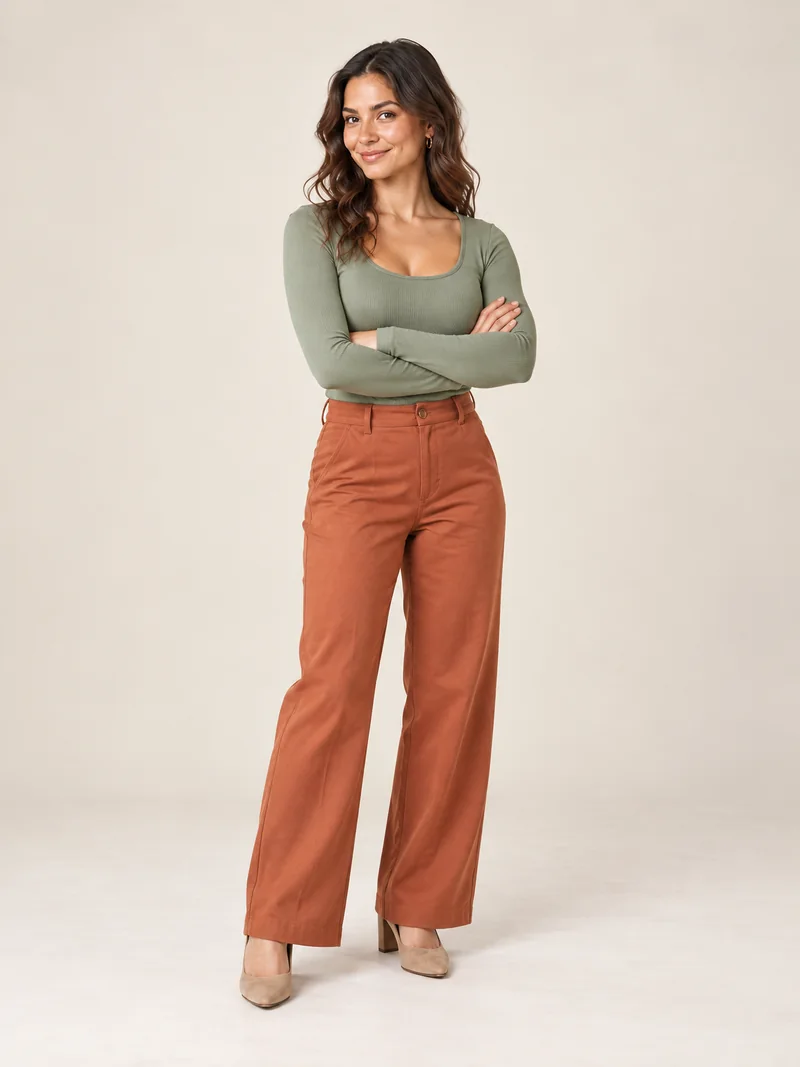
AI-generated result: the figure standing with her arms crossed
3. Generated resultOne result from this tool
WHAT IT ACTUALLY DOES

Two inputs. One person.

PHOTO + POSE REFERENCE

AI pose generator from photo

Upload a photo of one person, then pick a library pose, provide your own pose reference, or describe the position you want. The AI pose changer redraws the person in that pose. Face, clothing and background may change, so check the result before using it.

POSE REFERENCE ONLY

Choose the pose, invent the figure

Skip the photo and the generator builds a new person, lit and posed, from a reference alone. Useful when you want the gesture for a character sheet and are not tied to a specific face. You can also write the pose in the instructions field instead of picking one.

TEXT INSTRUCTIONS

Optional, up to 2,000 characters

Add what should stay or change, in your own words: the outfit, the room, the camera angle. Instructions sit next to the photo and the pose rather than replacing them, and a request still needs at least a pose or a written description.

DRAWING REFERENCE

Pose reference for drawing and character design

Start with a library study or your own pose image for figure drawing, character sheets and storyboard planning. Keep the brief focused on the pose, framing, clothing and scene, then check hands, joints and proportions before using the AI image as a reference.

The 3D poser and the AI generator solve different jobs

A 3D posing tool gives you a model whose joints and camera you can adjust until the silhouette looks right. You can keep changing the viewpoint and use the result as a drawing reference.

An AI pose generator removes the building step. You do not manipulate a skeleton; you supply a photo and a target pose and receive a finished picture. That is faster and closer to a final image, and it gives you less control: you cannot spin the result, and the model may drift on hands, faces and fine detail. If you need an angle no photo can show, a 3D poser still wins. If you have a photo and need a different pose of the same person, the generator is the direct route.

HOW IT WORKS

Three steps, one image.

  1. 01

    Upload one photo

    A single adult, fully clothed, with permission to use the image. Skip this step if you want a new figure rather than a specific person.

  2. 02

    Choose the pose

    Pick one of the 93 library studies, upload a pose image you have permission to use, or describe the pose in the instructions field.

  3. 03

    Generate the new pose

    The person from your photo is redrawn in the new pose with their face, build and clothing carried over as far as the model allows. Download the result, or swap the pose and run it again.

THE POSE LIBRARY

93 pose studies, ready to reference.

The library is 93 AI-generated pose references, not stock photographs of models. It covers standing and fashion poses, seated and floor poses, action and walking poses, balancing poses and upper-body studies. Select a reference to use it in the studio.

Browse sitting pose references, action pose references, or the male reference collection. Download the images as WebP. Each reference shows a single clothed person.

CREDITS

Free references, paid generations.

The pose library is free: browsing, opening and downloading references costs nothing and needs no account. Guests can request up to 3 free images per session each UTC day, subject to shared daily limits; failed requests may count. Signed-in image generation uses one credit per request, bought once as a pack. There is no subscription, nothing renews automatically and unused credits do not expire.

Starter

5 credits

$4.99

$1.00 per generation

Studio

15 credits

$11.99

$0.80 per generation

Pro

40 credits

$28.99

$0.72 per generation

Prices above come from the live site configuration. The full comparison is on the pricing page, and the terms of purchase are in the refund policy.

LIMITS AND RULES

Rules for use, and limits.

Use one fully clothed adult per request and only images you have permission to share. Written prompts are screened, but this site does not automatically review the content of uploaded images; you are responsible for following the rules. The generation provider also applies its own policies. A request that fails before submission may be eligible for a credit return; see the refund policy for details.

  • One adult person per request. Crop out anyone else and use only images you have permission to share.
  • One photo plus one pose reference, 10 MB each. No batch uploads and no queue.
  • Identity, clothing and background are preserved as far as the model manages them, not pixel for pixel.
  • No video, no face swap, no nudity, no minors, no real people without permission.
  • Credits for requests that fail before submission may be returned; contact support if a credit has not been returned. Stopping tracking does not cancel a request. Your photo passes through a third-party provider.
FAQ

Questions people actually ask.

What is an AI pose generator?

An image-to-pose generator makes a new image of a person in a pose you choose. You can provide a photo of one real person you have permission to use, a pose reference from the library or your own image, or describe the pose in words. With a photo and pose, the person is redrawn in the new pose. With a pose alone, the generator invents a new figure.

How is this different from a 3D pose reference generator?

A 3D posing tool such as JustSketchMe lets you adjust a mannequin and its camera to make a drawing reference. Here you can supply a photo and a pose reference to generate a new image instead. The result is an image, not a 3D model: you cannot rotate it or adjust its joints, and the person and details may change.

What does the pose library cost?

Nothing. Browsing and downloading these 93 pose references is free and needs no account. The category library also offers individual pages with written pose descriptions. Guests can request up to 3 free images per session each UTC day, subject to shared daily limits. Failed requests may count. Signed-in generations use credits.

Is this a free AI pose changer?

Yes, guests can try up to 3 free image requests per session each UTC day, subject to shared limits. The pose library is free to browse and download without an account. Paid generations use one-time credit packs; there is no subscription.

What does one credit buy, and what does a pack cost?

One credit covers one paid image generation request. If the request fails before submission to the image provider, we work to return the credit; contact support if it has not been returned. Once submitted, a credit may be used even if a result is not delivered. Packs are bought once: Starter is 5 credits for $4.99, Studio is 15 credits for $11.99 and Pro is 40 credits for $28.99. There is no subscription, nothing renews automatically and unused credits do not expire.

What photo should I upload?

One adult, fully clothed, on their own in the frame, well lit, with the whole body visible if you want a full-body pose. JPEG, PNG or WebP up to 10 MB. Crop out anyone else first, and make sure you have permission to use the image. If you want a new figure instead of a specific person, skip the photo entirely.

Will the face, clothing and background stay the same?

They may change. The generator uses the photo and pose reference to redraw a new image, so face details, clothing, hands, proportions and background can drift. Check the result before using it, especially for a close likeness or a drawing reference where the joints and silhouette matter.

Can I use a real person's photo, or make a deepfake?

Only with that person's permission, and only for that person. Face swapping, impersonation and synthetic images meant to look like real events are not allowed. Output is AI-generated and must not be presented as a real photograph. Nudity, sexualized poses, minors, violence and hateful imagery are prohibited. Written prompts are screened; you are responsible for ensuring your uploaded images comply with the rules.

Can it generate video?

No. Video is not available: the format switch exists in the workspace, but selecting it disables generation and says so. Image generation is the only format that produces a result today.

Where do my photo and result go, and how long do they stay?

Your photo and pose reference are held in private storage and passed to Yir, the image provider, when you press Generate. Site copies are scheduled to expire after one day and deletion can lag behind that. Access to your result depends on a session cookie that lasts 24 hours, so download the image before then. Full details are in the privacy policy.
READY WHEN YOU ARE

Bring a photo. Leave with a pose.

Get credits

Starter

$4.99

5 credits, never expire

Studio

$11.99

15 credits, never expire

Pro

$28.99

40 credits, never expire

Secure checkout. Failed generations refund their credits. Refund policy

Sign in to continue

No password. What you entered stays on the page